> For the complete documentation index, see [llms.txt](https://gigi206.gitbook.io/vscode-anywhere/llms.txt). Markdown versions of documentation pages are available by appending `.md` to page URLs; this page is available as [Markdown](https://gigi206.gitbook.io/vscode-anywhere/modules/list/saltstack.md).
# Saltstack
Salt

## About
[Salt](https://www.saltstack.com/) (sometimes referred to as SaltStack) is Python-based, open-source software for event-driven IT automation, remote task execution, and configuration management. Supporting the [Infrastructure as Code](https://en.wikipedia.org/wiki/Infrastructure_as_Code) approach to data center system and network deployment and management, configuration automation, SecOps orchestration, vulnerability remediation, and hybrid cloud control. Salt is most often compared to tools from [Puppet](https://vscode-anywhere.readthedocs.io/en/dev/modules/puppet.html#module-puppet), Chef, and [Ansible](https://vscode-anywhere.readthedocs.io/en/dev/modules/ansible.html#module-ansible).
## Installation
Change `enable` from `False` to `True` in the `saltstack` section (cf [module installation](/vscode-anywhere/modules/install.md)).
```yaml
vscode-anywhere:
saltstack:
enabled: True
```
{% hint style="info" %}
You can also take a look at the [VSCode-Anywhere Saltstack module configuration](https://github.com/gigi206/VSCode-Anywhere/blob/V2/salt/modules/saltstack/defaults.yaml).
{% endhint %}
## Requirements
No requirements.
## VSCode
### VSCode extensions
#### korekontrol.saltstack
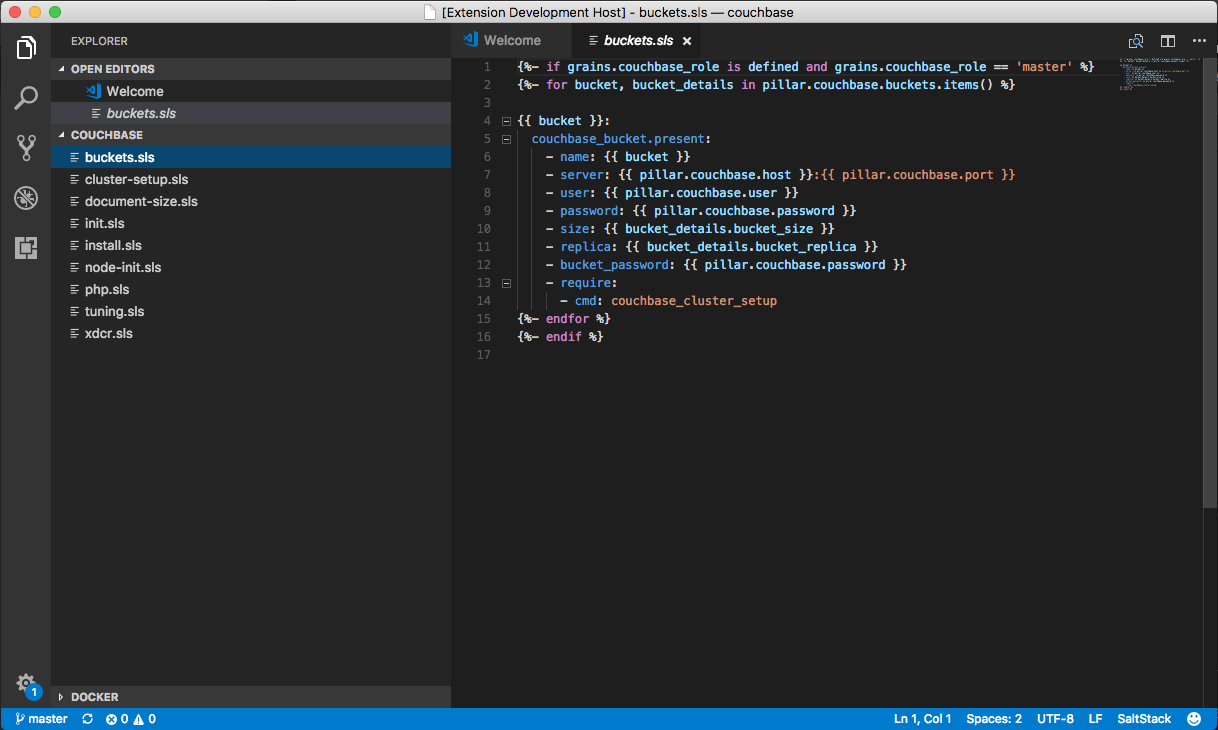
This [extension](https://marketplace.visualstudio.com/items?itemName=korekontrol.saltstack) adds language colorization support for the SaltStack template language to VS Code. The language is a yaml with Jinja2 templating.
### VSCode settings
#### Global settings
```javascript
{
"dash.languageIdToDocsetMap.sls": [
"salt"
]
}
```
### VSCode keybindings
No [keybindings](https://code.visualstudio.com/docs/getstarted/keybindings).
## Software
No software.
## Documentation
* [SaltStack](https://github.com/Kapeli/feeds/blob/master/SaltStack.xml)
* [Jinja](https://github.com/Kapeli/feeds/blob/master/Jinja.xml)
## VSCode-Anywhere
### Environment
No environment.
### Specific settings
No specific settings.